|
CONFIGURATION |
|
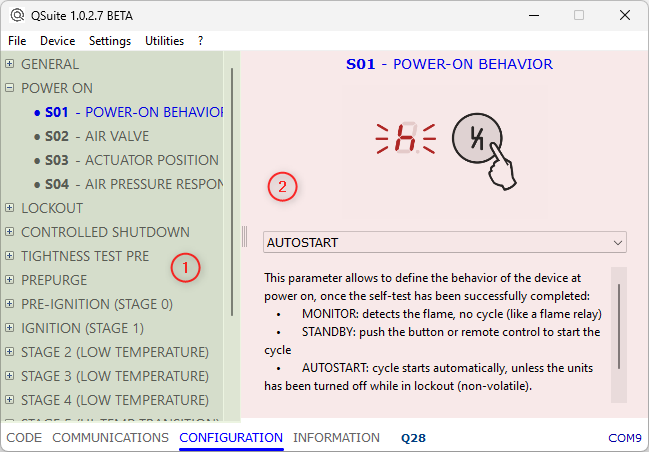
Selecting Configuration, a tree view with all operating stages is displayed. Click on the + symbol to expand the view and show the parameters relating to the specific stage. |
|
|
|
The page is divided into 2 areas: 1 STAGES TREE VIEW On the left is the list of all operating stages. After expanding the view, click on a parameter to view related options. 2 PARAMETER OPTIONS On the right is the information relating to the selected parameter, with the possibility of selecting your preference. For all parameters there is a detailed explanation of the function, and specific options with possible standard references. |
QSuite